Posts

Showing posts with the label Google

Google Chrome Book - Chrome Rocks!

Image
Please take your time and read the Google Chrome Book . Google really Rocks!

Google Chrome Themes

Image
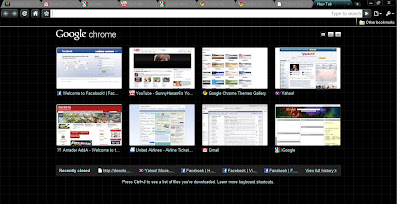
Late Night - Google Chrome Theme Tried Google Chrome Beta 3.0 and liked it again for it's fast loading and launching :) In beta it is possible to add themes of your choice. For all themes, goto Google Chrome Themes Gallery .

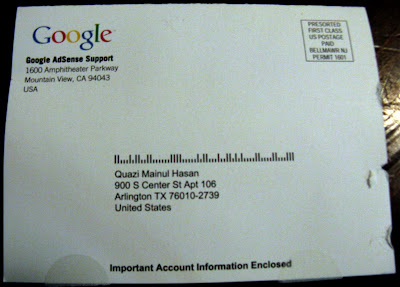
PIN from Google Adsense Support Team

Image
Today, I get the PIN from Google , which is required to be verified before any payment is made. I have submitted my PIN to Google AdSense and all my hold is clear now. Here are the pictures of the mail that I got from the google . I'm a little excited about this. :)

Keyboard shortcuts in Gmail

Keyboard shortcuts help you save time by allowing you to never take your hands off the keyboard to use the mouse. You'll need a Standard 101/102-Key or Natural PS/2 Keyboard to use the shortcuts. To turn these case-sensitive shortcuts on or off, click Settings , and then pick an option next to Keyboard shortcuts . Shortcut Key Definition Action c Compose Allows you to compose a new message. + c allows you to compose a message in a new window. / Search Puts your cursor in the search box. k Move to newer conversation Opens or moves your cursor to a more recent conversation. You can hit to expand a conversation. j Move to older conversation Opens or moves your cursor to the next oldest conversation. You can hit to expand a conversation. n Next message Moves your cursor to the next mes...

Own-Google Power Searched Engine

You can use your own name or the name of your near and dear ones. You can create the search engine on anyone's name and send them the website as a gift! You can use the name of anything up to 29 characters long. You can use the following characters: a to z, A to Z, 0 to 9, (), , _ and . (dot) >>> Go to the following link to experience it: MyGoogleSearchEngine

Search Google Like An Expert

>> It is a 5 minutes training course for becoming an Google Search Expert. lol.. Here goes the searching tips: 1. Explicit Word Search: Suppose you want to search for a specific word in the internet then instead of just writing the word quote the word with double quotation, for example: search with "Biology" instead of just searing by Biology. 2. Exclude Words: If you want to exclude a word from our search result content then just use the " - " sign before the ignoring word. e.g. type in the Google search box Biology -Bone to exclude the word 'Bone' from the search result. 3. Calculator: Just write the calculation you want to don in the Google search box and you will get the desired result easily :). e.g. 123 * 123 4. Word Meaning/ Defining: To know the definition of a word write in the Google search box like, define:Sunny , where "define" is used like a command. 5. Converter: To convert from one unit to another unit e.g. type ...